Network & infrastructure
Professional office Wi-Fi: why a home router falls short
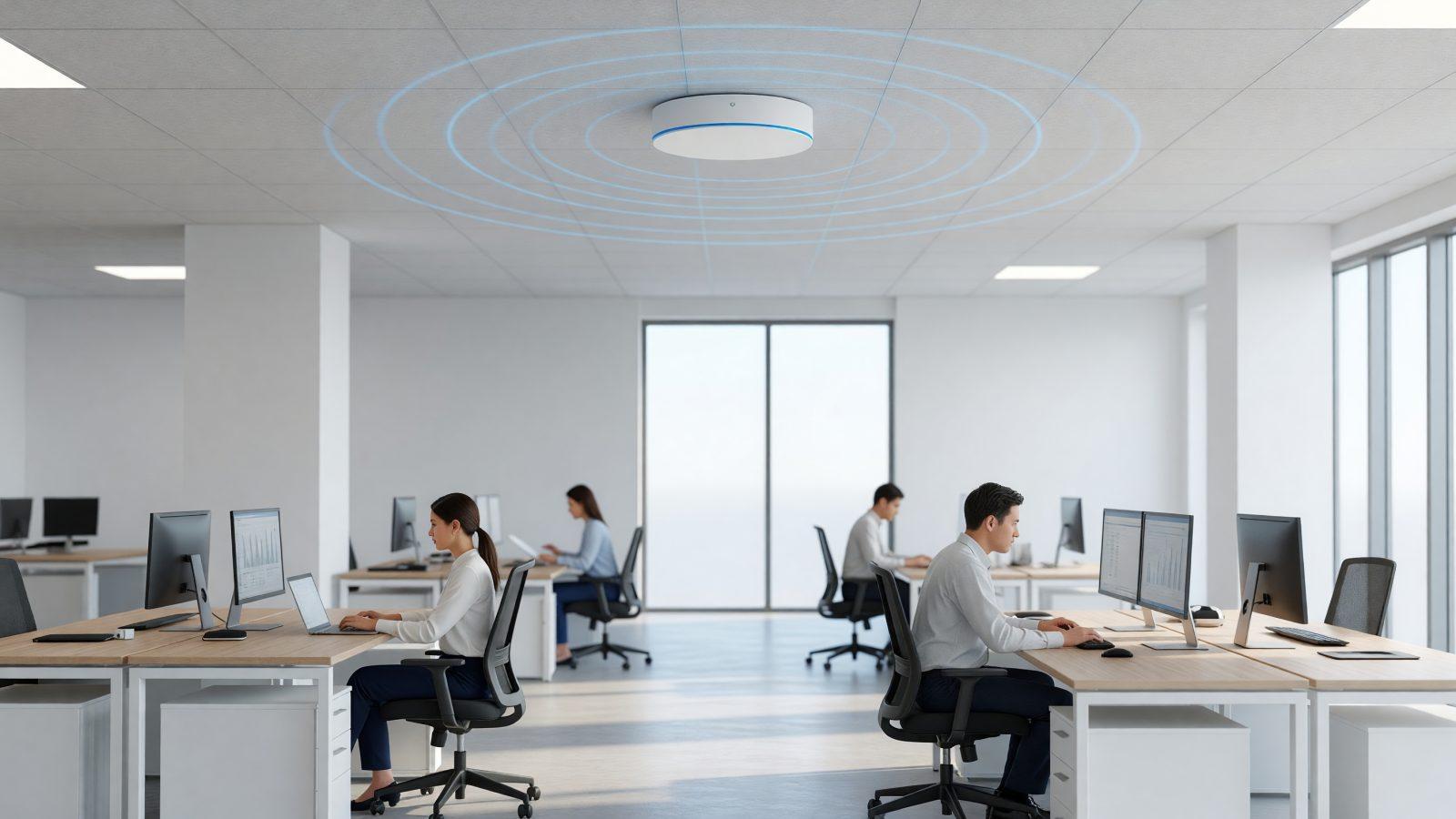
A good home router handles an apartment with 4-5 devices without any trouble. Put the same router in an office with 20 employees, phones, printers, and visitor laptops, and it starts dropping connections, freezing, or slowing down noticeably, especially at peak hours. The difference is not "a pricier router" — it is a completely different architecture, built for density and continuity. A shop with Wi-Fi-connected registers, or a clinic running electronic records, feels these problems immediately — every second of unstable connection means longer queues or delays with patients.
Consumer routers vs. access points with a controller
A home router does everything in one box: routing, Wi-Fi, sometimes even switching. In an office, these roles get separated. You have one or more access points (APs) dedicated purely to Wi-Fi, coordinated by a controller — physical or cloud-based — that manages them as one system: same networks, same policies, one management screen.
The practical difference: you can add a new AP without reconfiguring everything, and see from a single place how many users are connected to each one.
Roaming between access points
In an office spanning several rooms or floors, one AP will not cover the whole space. With controller-managed access points, a phone or laptop moves automatically from one AP to another without dropping the connection, using the same network name (SSID) everywhere. With several consumer routers scattered around "ad hoc," each runs its own network, and devices stay stuck to a weak signal instead of switching to the strongest one.
The difference shows up most in video calls or Wi-Fi calling — a few seconds of drop while moving between access points can cut off a call with a client.
User density matters more than square meters
A home router is built for a few dozen simultaneous connections, at most. An office with 20 employees can easily have 60-80 devices connected at once — laptops, phones, printers, cameras, payment terminals. At that volume, a consumer router becomes the network's bottleneck, no matter how "powerful" it looks on the box.
Rule of thumb: for every 15-20 people, you need at least one dedicated access point, not a stronger signal on a single device.
At an internal event or an all-hands meeting with every employee connected to a single network at once, a consumer router can drop entirely, exactly when you need it most.
2.4 GHz vs. 5 GHz and the guest network
- 2.4 GHz — covers more distance, but is slower and more crowded (IoT devices, cameras, and printers use it too).
- 5 GHz — faster, ideal for laptops and work traffic, but shorter range, so it needs more access points.
- Guest network — fully separated from the internal network, so visitors or vendors get internet without access to company resources.
Professional Wi-Fi uses both bands at once and automatically separates internal traffic from guest traffic, through VLAN segmentation.
PoE power and the cabling behind the walls
Professional access points are usually powered through the network cable itself (Power over Ethernet — PoE), not a separate wall adapter. That means a clean install on the ceiling or wall, with no extra outlets and no visible power cables. A PoE switch powers all APs from a single point, which also simplifies maintenance.
All of this sits on top of good structured cabling: every access point needs a network cable running to the switch, not just a power outlet. If the office has old, insufficient, or poorly done cabling, no Wi-Fi equipment, however expensive, can fully make up for that bottleneck.
Examples by company size
- 5 employees, one room — usually one good access point is enough, still kept separate from the router through a simple switch.
- 20 employees, one-floor office — 2-3 controller-managed access points, a separate guest network, cabling run to each point.
- 50 employees, multiple areas — 4-6 access points with roaming, VLAN segmentation (guests, employees, equipment), centralized monitoring.
Regardless of size, the rule stays the same: several weaker access points beat one "powerful" device, because they distribute the load correctly, not just the signal.
How to start
The best starting point is an on-site assessment. See what our professional wireless networks service covers, or network design and setup from scratch, or contact us for a technical site visit.